The internet has become an essential part of how businesses communicate, sell products, provide services, and connect with customers. Every website visit, image loaded, video played, and form submitted requires computing resources and electricity. As websites become increasingly sophisticated, businesses are beginning to consider an important question: Can a website be designed to deliver an excellent user experience while using fewer resources?
Green web design offers one answer.
Green web design focuses on creating websites that are efficient, lightweight, accessible, and thoughtful about the resources required to deliver digital content. For businesses in St. Louis, MO, adopting energy-efficient website design can be part of a broader approach to building faster, more sustainable, and more user-friendly websites.
While green web design is associated with environmental responsibility, many of its practices also align closely with traditional website performance and SEO principles. A website that avoids unnecessary code, compresses images, loads efficiently, and provides a streamlined experience can be easier for visitors to use and maintain.
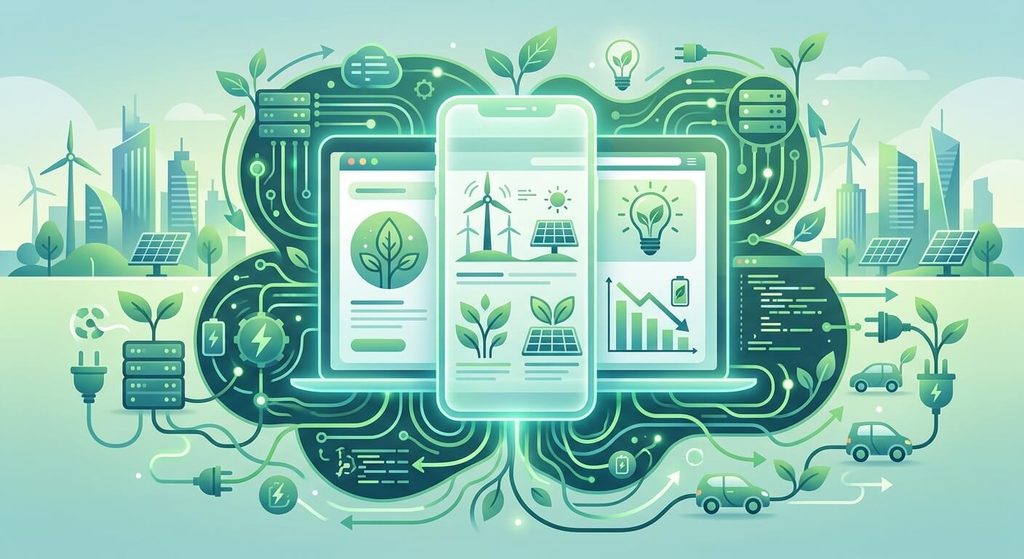
What Is Green Web Design?
Green web design is an approach to website development that considers the environmental impact of digital products throughout their lifecycle.
A website doesn’t physically produce emissions when someone opens it, but the digital infrastructure behind that interaction requires energy. Data centers host websites, networks transfer information, and computers and mobile devices process and display the content.
The more resources a webpage requires, the more data may need to be transferred and processed.
Green website design therefore emphasizes efficiency. Instead of automatically adding large images, animations, videos, tracking scripts, plugins, and other features, designers and developers evaluate whether each element serves a useful purpose.
The goal isn’t necessarily to create a plain or visually limited website. A well-designed sustainable website can still have attractive graphics, engaging content, interactive features, and a professional appearance.
The difference is that those elements are implemented thoughtfully.
Why Website Efficiency Matters
Website performance has always been important to the user experience. Visitors generally don’t want to wait for a page to load before they can find information.
Large files and unnecessary website elements can contribute to slower loading times. This can become particularly noticeable for visitors using mobile devices or slower internet connections.
Improving efficiency can therefore produce several practical benefits.
A streamlined website may:
- Load content more efficiently
- Reduce unnecessary data transfers
- Provide a smoother browsing experience
- Work better on mobile devices
- Reduce server processing requirements
- Make pages easier to maintain
- Help visitors find information more quickly
- Reduce dependence on unnecessary third-party scripts
These benefits make green web design more than an environmental consideration. It can also be a sensible approach to website development.
1. Optimize Images Before Uploading Them
Images are often among the largest resources on a webpage. A business may have beautiful photography, product images, graphics, and banners, but uploading every image at its original resolution can create unnecessary page weight.
Image optimization begins before an image reaches the website.
Images should generally be resized to dimensions appropriate for their actual display size. A small image being displayed in a small content area doesn’t need to be several thousand pixels wide.
Modern image formats can also help reduce file sizes while maintaining visual quality.
Web designers can consider formats such as WebP and AVIF when appropriate, while also making sure images remain compatible with the website’s technical environment.
Compression is another important step. The objective is to find a practical balance between image quality and file size.
For example, a photograph used as a small thumbnail does not need the same level of detail as a large photograph displayed across an entire desktop screen.
2. Reduce Unnecessary Website Code
Behind every webpage is code that tells browsers how to display and operate the site. HTML, CSS, JavaScript, and other resources all contribute to how a page is delivered.
Poorly structured or excessive code can make a website more complicated than necessary.
Green web development encourages developers to examine the code and remove resources that aren’t serving a meaningful function.
This might include:
- Removing unused CSS
- Eliminating unnecessary JavaScript
- Reducing redundant libraries
- Minifying production files
- Combining resources where appropriate
- Avoiding unnecessary animations
- Limiting scripts that aren’t essential to the visitor experience
Cleaner code can make websites easier to maintain while potentially reducing the amount of processing required by browsers and servers.
3. Be Selective With Website Plugins
Content management systems such as WordPress make it easy to add functionality through plugins. This is extremely useful for businesses, but it can also lead to websites accumulating more features than they actually need.
A website doesn’t necessarily need a plugin for every possible function.
Before installing a plugin, website owners should consider whether the functionality is genuinely necessary. If several plugins perform overlapping functions, consolidating them may make sense.
Regular plugin reviews can also help identify software that is outdated, unused, or no longer necessary.
A leaner website can be easier to manage and may reduce the amount of code and processing involved in delivering each page.
4. Use Video Carefully
Video can make a website engaging, but video files can be extremely resource-intensive.
Automatically playing a large background video when someone opens a webpage may create a substantially heavier experience than using a carefully optimized still image.
That doesn’t mean businesses should eliminate video.
Instead, video should have a clear purpose.
A company could use a compressed promotional video on an important landing page while avoiding multiple autoplay videos throughout the site. Videos can also be configured to load only when they are needed.
For longer videos, hosting them on an appropriate video platform and embedding them may be preferable to placing large video files directly on the website.
5. Take Advantage of Lazy Loading
Lazy loading allows certain resources to load when they are needed rather than immediately loading everything on the page.
Consider a long webpage containing twenty images. A visitor may only see the first few images when the page initially opens.
There may be little reason to immediately load every image located several screens below the visitor’s current position.
With lazy loading, appropriate images and other resources can be deferred until the visitor approaches them.
This can reduce the amount of information initially transferred and improve the perceived loading experience.
Lazy loading is particularly useful for long blog articles, image galleries, product catalogs, and pages containing many visual elements.
6. Choose Efficient Fonts
Typography is an important part of website design, but fonts can also contribute to page weight.
Some websites load numerous font families and multiple weights even though only a few are actually used.
A more efficient approach is to determine which fonts are genuinely needed.
For example, a website might use one font family for headings and another for body text, with only the necessary font weights loaded.
System fonts can also be considered when appropriate because they may reduce the need to download additional font resources.
Good typography doesn’t require dozens of font variations. Consistency and readability are usually more important than having an enormous font library.
7. Minimize Third-Party Scripts
Third-party scripts can provide valuable functionality, including analytics, advertising, chat tools, social media integrations, appointment systems, and other services.
However, every additional script introduces another resource that may need to be loaded, processed, or connected to an external service.
Website owners should periodically review their third-party scripts.
Ask:
- Is this script still necessary?
- Does it provide measurable value?
- Is it being used on every page unnecessarily?
- Can it be loaded only where needed?
- Is there a lighter alternative?
Removing a handful of unnecessary scripts can simplify the website considerably.
This is particularly important for business websites that have accumulated tracking tools and marketing integrations over several years.
8. Build With Mobile Users in Mind
Mobile-friendly design and green web design naturally overlap.
Mobile devices often operate with limited battery capacity and varying network conditions. A webpage packed with unnecessary resources can create a less efficient experience for mobile visitors.
Responsive design allows a website to adapt to different screen sizes without maintaining completely separate desktop and mobile websites.
A mobile-first approach can also encourage designers to prioritize essential content.
Instead of asking, “What can we add to this page?” designers can ask, “What does the visitor actually need?”
That shift can result in cleaner layouts, simpler navigation, and more efficient pages.
9. Improve Website Hosting Efficiency
Website efficiency isn’t determined solely by what happens inside the browser. Hosting infrastructure also plays a role in how websites are delivered.
Businesses should evaluate their hosting provider based on factors such as performance, reliability, scalability, and infrastructure practices.
Some hosting companies have made commitments involving renewable energy, energy efficiency, or carbon-conscious data-center operations.
However, businesses shouldn’t choose hosting based solely on a sustainability claim. Website performance, security, reliability, technical support, and suitability for the site’s needs remain important considerations.
A well-optimized website hosted efficiently can provide a stronger overall foundation than simply choosing a hosting provider based on marketing language.
10. Use Caching to Reduce Repeated Processing
Caching allows frequently requested resources or pages to be stored temporarily so they don’t have to be generated or retrieved from scratch every time.
For example, a cached webpage can sometimes be delivered without requiring the server to perform the same processing for every visitor.
Caching can therefore improve performance while reducing unnecessary repeated work.
Common forms of caching include browser caching, server-side caching, and content delivery network caching.
Proper caching configuration depends on the website’s platform and functionality, but it can be particularly valuable for content-heavy business websites and blogs.
11. Consider a Content Delivery Network
A content delivery network, or CDN, distributes website resources through a network of servers located in different geographic areas.
When someone visits a website, resources may be delivered from a location that is geographically closer to that visitor.
For a business serving customers in St. Louis and surrounding communities, efficient content delivery can contribute to a responsive browsing experience.
CDNs can also help distribute traffic and deliver static resources efficiently.
Again, the objective isn’t simply to add another technology to a website. The technology should solve a genuine performance or delivery requirement.
12. Create a Simple and Efficient Website Architecture
A website with a confusing structure can require visitors to load multiple pages just to find basic information.
Thoughtful website architecture can reduce unnecessary navigation and help users reach their destination efficiently.
For a St. Louis website design company, this could mean organizing a business website around clear sections such as:
- Services
- About
- Portfolio
- Blog
- Contact
- Frequently Asked Questions
The exact structure depends on the business, but the principle remains the same: visitors should be able to understand where they are and where they can go next.
Clear navigation benefits both usability and efficiency.
13. Don’t Confuse Minimalism With Green Design
Green web design doesn’t simply mean making a website look minimal.
A visually simple website can still be inefficient if it contains enormous images, excessive scripts, poorly optimized fonts, or unnecessary background processes.
Likewise, a visually rich website can potentially be efficient if its resources are carefully optimized.
Green design is ultimately about how efficiently a website delivers its experience, not simply how many elements appear on the screen.
This distinction is important for businesses that don’t want sustainability to come at the expense of their brand identity.
14. Accessibility and Sustainable Design Can Work Together
Accessibility should be considered alongside performance and sustainability.
A website should remain usable by people with different abilities, devices, and browsing environments.
Clear typography, logical navigation, appropriate color contrast, descriptive image alternatives, keyboard accessibility, and properly structured content can make websites easier to use.
Many accessibility improvements also encourage better website design practices.
For example, eliminating unnecessary visual clutter can make a page easier to navigate while potentially reducing unnecessary resources.
The goal should be to create websites that are efficient without excluding users.
15. Green Web Design and SEO
Green web design is not a direct ranking factor that guarantees higher Google rankings.
However, many practices associated with efficient websites overlap with established technical SEO and user-experience considerations.
Search engines need to crawl and understand websites efficiently, while users expect pages to provide useful information and function properly across devices.
Website owners should therefore think beyond a single metric.
A strong SEO strategy can include:
- Helpful, original content
- Logical internal linking
- Descriptive page titles
- Search-intent alignment
- Mobile-friendly design
- Good technical performance
- Accessible content
- Clear navigation
- Properly optimized images
- Secure website infrastructure
Green web design can complement these practices when efficiency is incorporated into the development process.
Green Web Design for St. Louis Businesses
Businesses in St. Louis, MO operate in a competitive local market where a website often serves as the first interaction between a company and a potential customer.
Whether the business is a restaurant, professional service provider, retailer, contractor, healthcare organization, or e-commerce company, its website needs to communicate information quickly and clearly.
An energy-efficient website can support that objective by focusing on what visitors actually need.
For example, a local service business may not need elaborate animations on every page. It may benefit more from fast-loading service pages, clear contact information, an easy-to-use navigation system, optimized photographs, and concise calls to action.
An e-commerce business may prioritize efficient product photography, streamlined checkout pages, optimized scripts, and a mobile-friendly shopping experience.
The appropriate green design strategy therefore depends on the business.
How to Start Making an Existing Website More Sustainable
Businesses don’t necessarily need to rebuild their entire websites to begin improving efficiency.
A website audit can identify opportunities for improvement.
Start by reviewing the largest pages on the site. Look at image sizes, unnecessary scripts, plugins, fonts, videos, and other resources.
Next, evaluate the website’s performance on both desktop and mobile devices.
Look for pages that contain large amounts of content or functionality that visitors rarely use.
Then create a practical improvement plan.
This could involve:
- Compressing and resizing images.
- Removing unused plugins.
- Eliminating unnecessary scripts.
- Implementing appropriate caching.
- Improving mobile performance.
- Reducing unnecessary font files.
- Optimizing videos.
- Reviewing hosting performance.
- Simplifying navigation.
- Monitoring performance after changes are made.
Making several small improvements can be more practical than attempting to change everything at once.
The Future of Sustainable Website Design
As the digital world continues to grow, website efficiency is likely to remain an important consideration.
Businesses are producing more digital content, customers are using a wider range of devices, and websites are becoming increasingly sophisticated.
The challenge for web designers is to create experiences that are useful without adding unnecessary digital weight.
Future website development may place greater emphasis on efficient code, optimized media, responsible use of third-party services, efficient hosting, and performance-conscious design.
Artificial intelligence and other emerging technologies may also influence how websites are built and optimized. However, adding new technology simply because it is available can work against the principles of efficient design.
The better approach is to ask whether a feature solves a real problem for the visitor or business.
Building Better Websites With Efficiency in Mind
Green web design doesn’t require businesses to abandon creativity or build extremely basic websites.
Instead, it encourages designers and developers to think carefully about every resource used to deliver a digital experience.
A successful website should communicate clearly, function reliably, load efficiently, and provide visitors with the information or functionality they need.
For businesses considering a new website or improving an existing one, energy efficiency can become another useful design consideration alongside branding, accessibility, mobile responsiveness, SEO, security, and usability.
For St. Louis businesses, that means creating websites that aren’t just attractive but are also purposeful and efficient.
The future of web design doesn’t have to be about adding more.
In many cases, it may be about doing more with less.
The written content on this page was generated by ChatGPT.